Skip to content
  • Timeline
  • Subscribe
  • Contact Us
  • About
  • Timeline
  • Subscribe
  • Contact Us
  • About
Hagg.ai
Monitoring Antisemitism Intel
January 15, 2024
What is this data

Wong can help in a Middle East dead end

Source: afr.com afr.com
Key Topics in this News Article:
Advertising Australia Biden Blinken democracy diplomacy Economy Finance Gaza Genocide Germany Hamas Healthcare Holocaust ICJ Israel Middle East Netanyahu Palestine Propaganda Senate Technology Terrorism War
News Snapshot:
If Australia believes that Israel is right to defend itself, then it is also within its rights to question how it does so. All deaths are tragedies and comparing death tolls is futile, but Palestinian war deaths are now almost 20-fold those of the October 7 massacre. President Joe Biden has called the bombing “indiscriminate”. US Secretary of State Antony Blinken this week called on Israel to wind down the campaign, lower the blockade and let in supplies to stop disease and famine adding to the toll. Israel insists that it goes out of its way to minimise civilian casualties....

Note: Please don’t mind the mess. Some source code may appear in the Snapshot above as we train our A.I.
Share on Social Media:
Facebook
X
LinkedIn
Telegram
Reddit
WhatsApp
VIEW ORIGINAL FULL NEWS →
You may also like

News Timeline:
Track the development of this news story across the Internet.

Timeline is being generated. Please check back and refresh this page soon.

News Timeline | Contact | About | Privacy

Twitter Linkedin

© 2026 Hagg.ai. Individual news stories are copyright their respective sources. Computer algorithms generally select what is shown on Hagg.ai. The algorithms determine which stories, images, and videos show, and in what order.

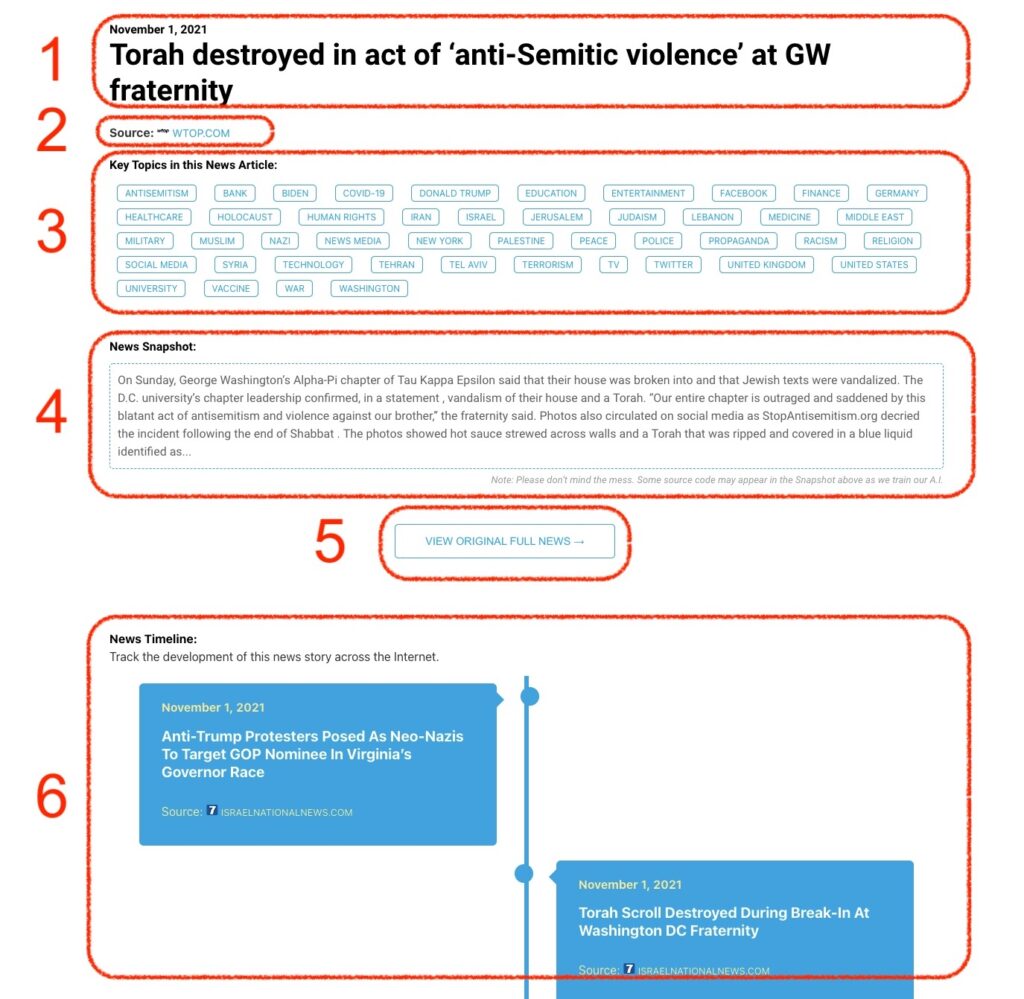
What Does This Data Mean?

1: Date and Title 
This displays both the date Hagg.ai picked up the news and the original headline of the news from the source.

2: Source
View the name of the original source website, along with the source’s icon image. You can click the source name to visit the homepage of that source.

3: Key Topics
The great power of Hagg.ai rests here, where we use A.I. technology to extract the key topics and themes for the news article. You can click each topic to see many more articles categorized to that specific topic.

4: News Snapshot
Read a quick blurb extracted from the source news.

5: View Original Full News
Click this button to go directly to the original source article on the source’s own website.

6: News Timeline
Hagg.ai is powerful and our News Timeline shows you the genesis of where this news came from and other related news stories. The Timeline builds you a history of where the news came, so you can chart where the news may go!

Hagg.ai How-To