Skip to content
  • Timeline
  • Subscribe
  • Contact Us
  • About
  • Timeline
  • Subscribe
  • Contact Us
  • About
Hagg.ai
Monitoring Antisemitism Intel
February 18, 2022
What is this data

Whoopi Goldberg’s Holocaust comments warrant greater discussion

Source: theticker.org theticker.org
Key Topics in this News Article:
Antisemitism Boycott ByteDance Comedy education Ethiopia European Genocide Germany Holocaust Human Rights Judaism Law Nazi Online Video Racism Religion Social Media Tennessee TikTok TV Twitter War Washington World War
News Snapshot:
Whoopi Goldberg’s Holocaust comments warrant greater discussion February 18, 2022 Comedian and co-host of ABC’s “The View,” Whoopi Goldberg, was suspended for two weeks for saying the Holocaust “isn’t about race.” Goldberg became the center of controversy after making troublesome comments during a roundtable discussion about a Tennessee school district’s decision to ban “Maus,” a graphic-style novel depicting the Nazi death camps during World War II. “The View” co-host Judy Behar said that schools shouldn’t shy away from having uncomfortable conversations surrounding the Holocaust, and by extension, surrounding race. “If you’re going to do this, then let’s be truthful about...

Note: Please don’t mind the mess. Some source code may appear in the Snapshot above as we train our A.I.
Share on Social Media:
Facebook
X
LinkedIn
Telegram
Reddit
WhatsApp
VIEW ORIGINAL FULL NEWS →
You may also like

News Timeline:
Track the development of this news story across the Internet.

Timeline is being generated. Please check back and refresh this page soon.

News Timeline | Contact | About | Privacy

Twitter Linkedin

© 2026 Hagg.ai. Individual news stories are copyright their respective sources. Computer algorithms generally select what is shown on Hagg.ai. The algorithms determine which stories, images, and videos show, and in what order.

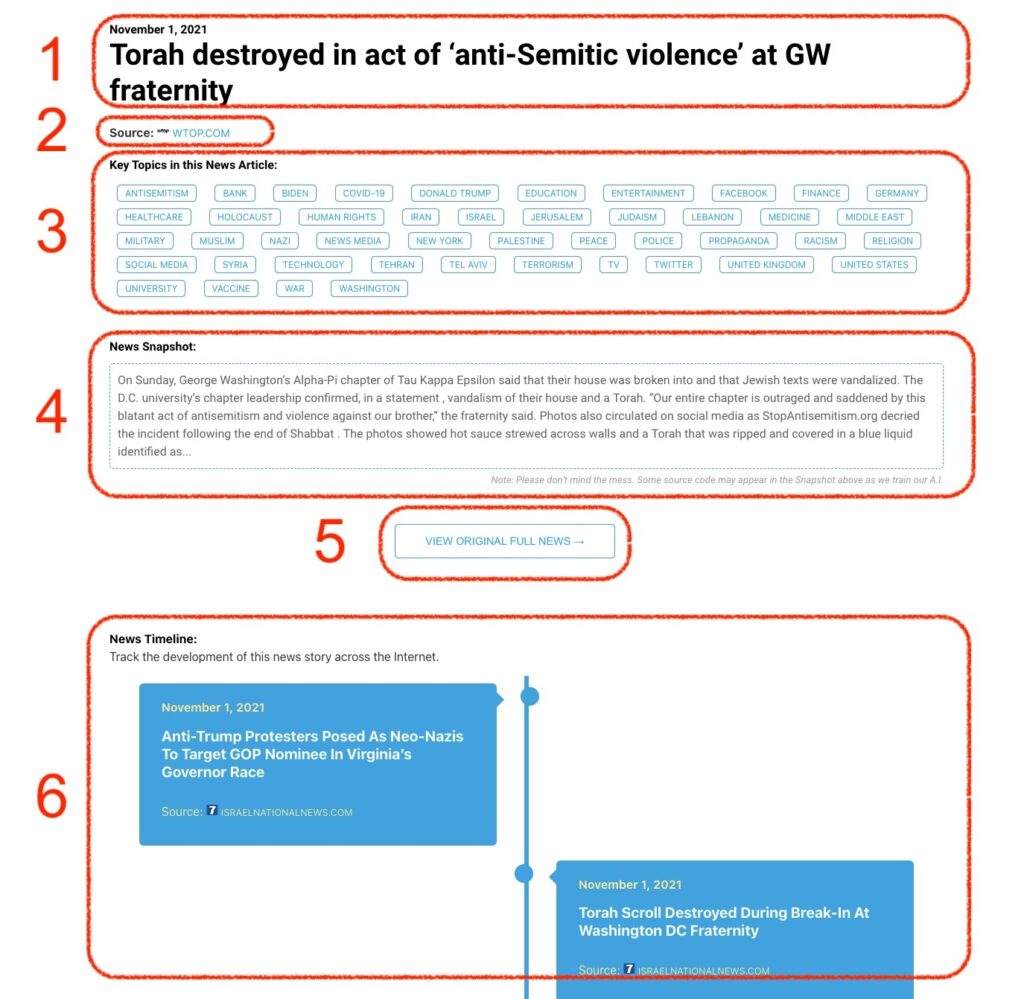
What Does This Data Mean?

1: Date and Title 
This displays both the date Hagg.ai picked up the news and the original headline of the news from the source.

2: Source
View the name of the original source website, along with the source’s icon image. You can click the source name to visit the homepage of that source.

3: Key Topics
The great power of Hagg.ai rests here, where we use A.I. technology to extract the key topics and themes for the news article. You can click each topic to see many more articles categorized to that specific topic.

4: News Snapshot
Read a quick blurb extracted from the source news.

5: View Original Full News
Click this button to go directly to the original source article on the source’s own website.

6: News Timeline
Hagg.ai is powerful and our News Timeline shows you the genesis of where this news came from and other related news stories. The Timeline builds you a history of where the news came, so you can chart where the news may go!

Hagg.ai How-To